
All Products
The All Products page provides a granular, product-level view of every item that has appeared in AI-generated shopping card responses across your tracked prompts. This is your deepest layer of intelligence — ideal for product teams, merchandisers, and performance marketers who need to act on specific SKU-level data.
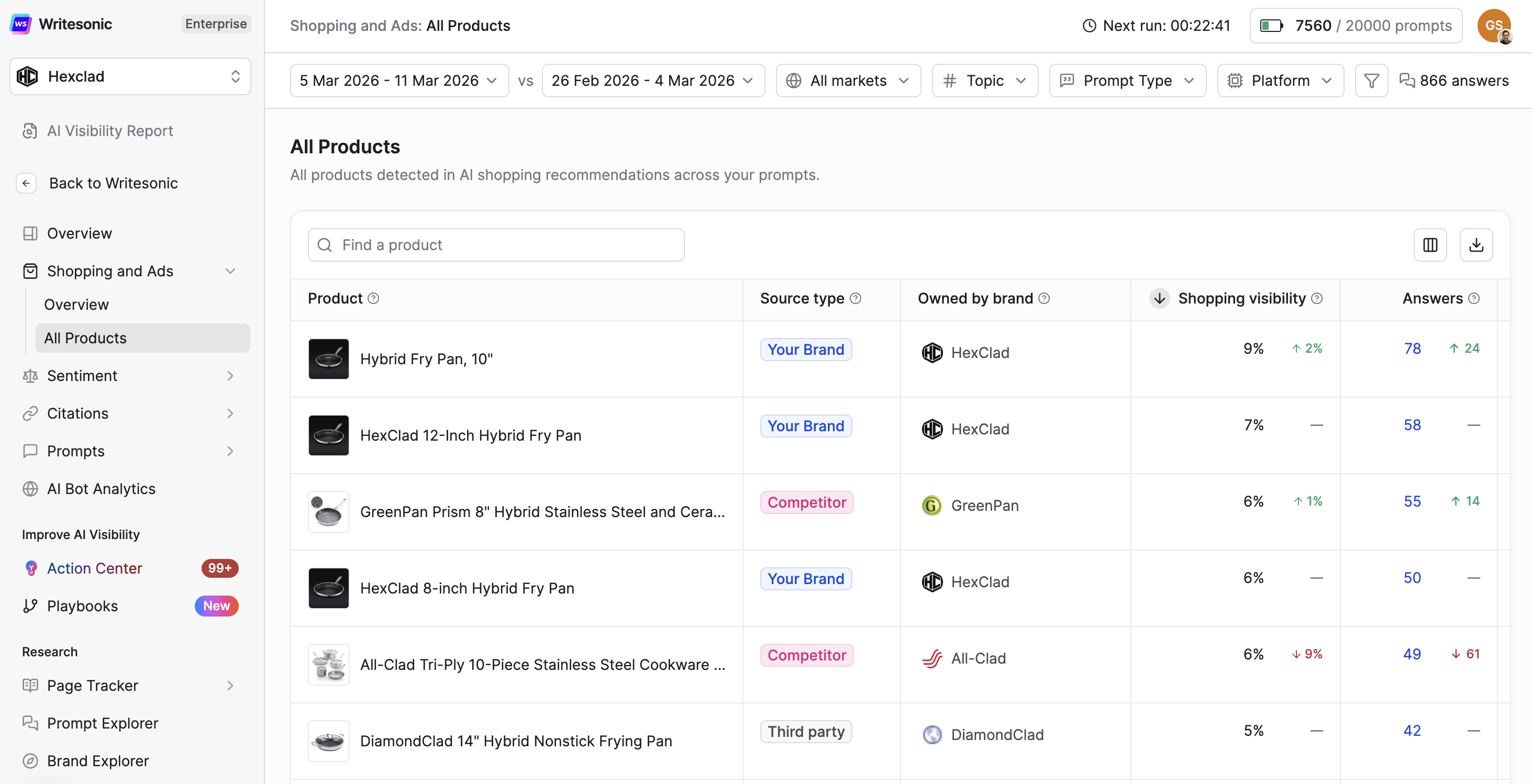
1 Search & Filters
Use the search bar at the top to find a specific product by name. Filter results by:
- All Markets — Restrict results to a specific geographic market.
- Topics — Filter by shopping topic or category.
- Platform — Limit data to a specific AI platform (e.g., ChatGPT).
- Prompt type — Filter by the type of consumer query generating the shopping result.
2 Product Table Columns
Each row represents a unique product detected in AI shopping responses. Here is what each column tells you:
| Metric | What It Means |
|---|---|
| Product | The unique product name detected in AI shopping card responses. Products are tracked even when AI platforms use slightly different naming conventions across responses. |
| Source Type | Classifies the product as belonging to your brand or a competitor. Helps you quickly distinguish your own performance from the competitive set within the same table. |
| Owned by Brand | The brand that owns or manufactures this product. You can manually assign unattributed (‘Unconfigured’) products to the correct brand directly from this column — keeping share-of-voice calculations accurate. |
| Shopping Visibility | How often this specific product is mentioned in AI shopping results. Calculated as: (answers mentioning this product) ÷ (total answers that include shopping cards). |
| Answers | Total number of AI answers that included a shopping card featuring this product. Each answer represents one AI platform response. |
| Direct Purchase Link Share | The share of shopping cards for this product that link directly to the brand’s website versus a third-party retailer. Calculated as: (product links pointing to the brand site) ÷ (total product links for this product across all shopping cards). |
| Avg. Rank in Buy List | The average position of this product when it appears in AI shopping card lists. Lower numbers mean higher placement — position 1 means it is shown first. |
| Avg. Price | The average price quoted for this product across all AI answers where pricing was shown. Calculated as: (sum of all quoted prices) ÷ (answers showing a price for this product). |
| Detected Merchants | Retailers and third-party sites where AI platforms showed this product as available for purchase. Click any product row to expand the full merchant distribution breakdown (e.g., Amazon India 45%, PUMA India 30%, Ajio 15%). |
| Detected Aliases | Alternative names or naming variations that AI platforms used when mentioning this product. Helps you track all references to a product even when AI engines are inconsistent with naming — and informs how you should name or tag products in your own content. |
3 Assigning Products to Brands
If a product appears as Unconfigured under Owned by Brand, it means the system detected it in AI shopping responses but couldn’t automatically match it to a configured brand. To assign it: find the product row, click + Assign brand, and select the correct brand from the dropdown. This ensures accurate competitive attribution and share-of-voice calculations across your dashboard.
Updated 8 months ago