
Ads
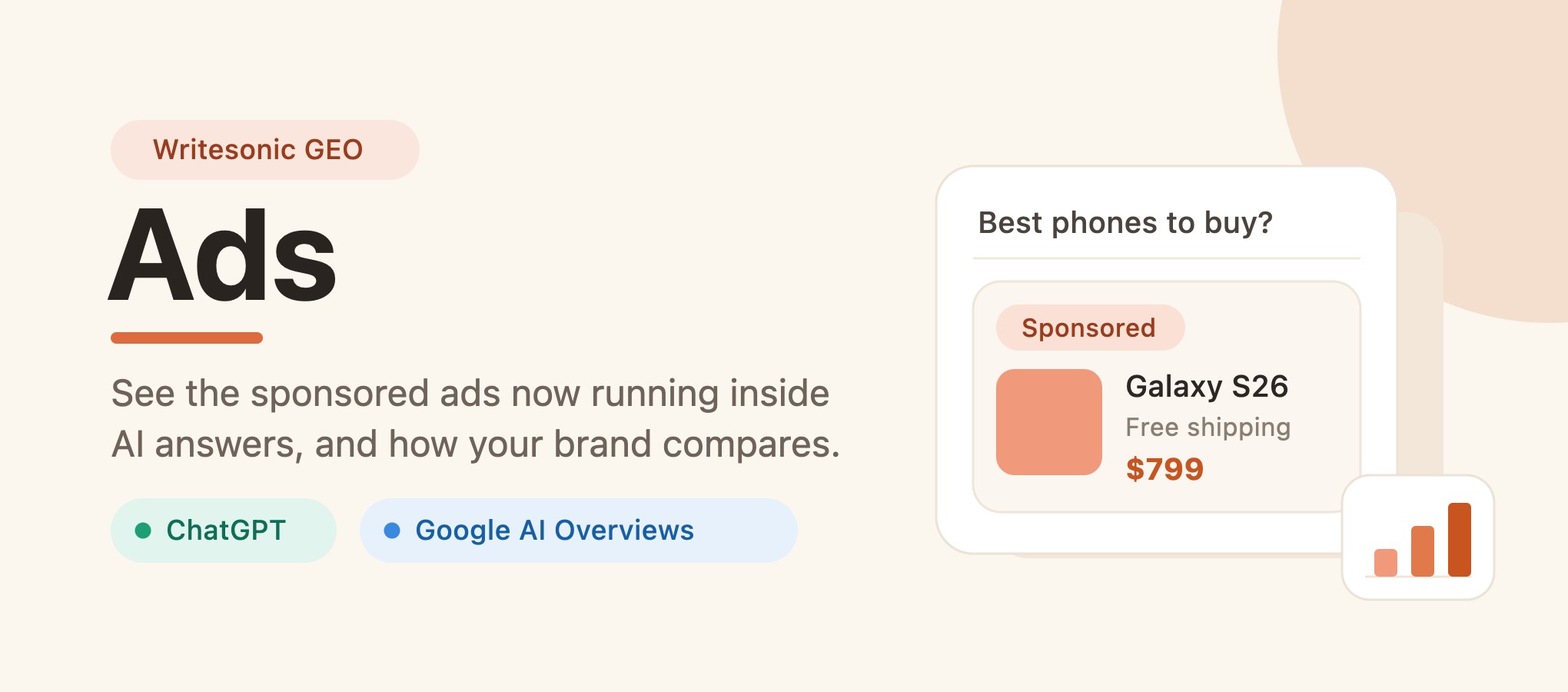
See the sponsored ads running inside ChatGPT and Google AI Overviews, find out who's advertising in your category, and measure how your brand compares.
What is Writesonic Ads?
Ads is a module in the Writesonic GEO product that shows you the sponsored ad placements now appearing inside AI answers, across ChatGPT and Google AI Overviews. For the prompts you already track, it surfaces which advertisers are buying placements, what products and cards they're promoting, how often your brand appears, and how your share compares with competitors. You'll find it under Brand Visibility, next to Overview and Shopping, with three views: Overview, All advertisers, and All ad listings.
Why this matters
AI assistants have started carrying ads. In 2026, OpenAI began showing sponsored placements inside ChatGPT, and Google's AI Overviews started running shopping ads with price, rating, and position. This is a new place where your brand can show up, or where competitors can show up instead, and your usual ad platforms have no visibility into it.
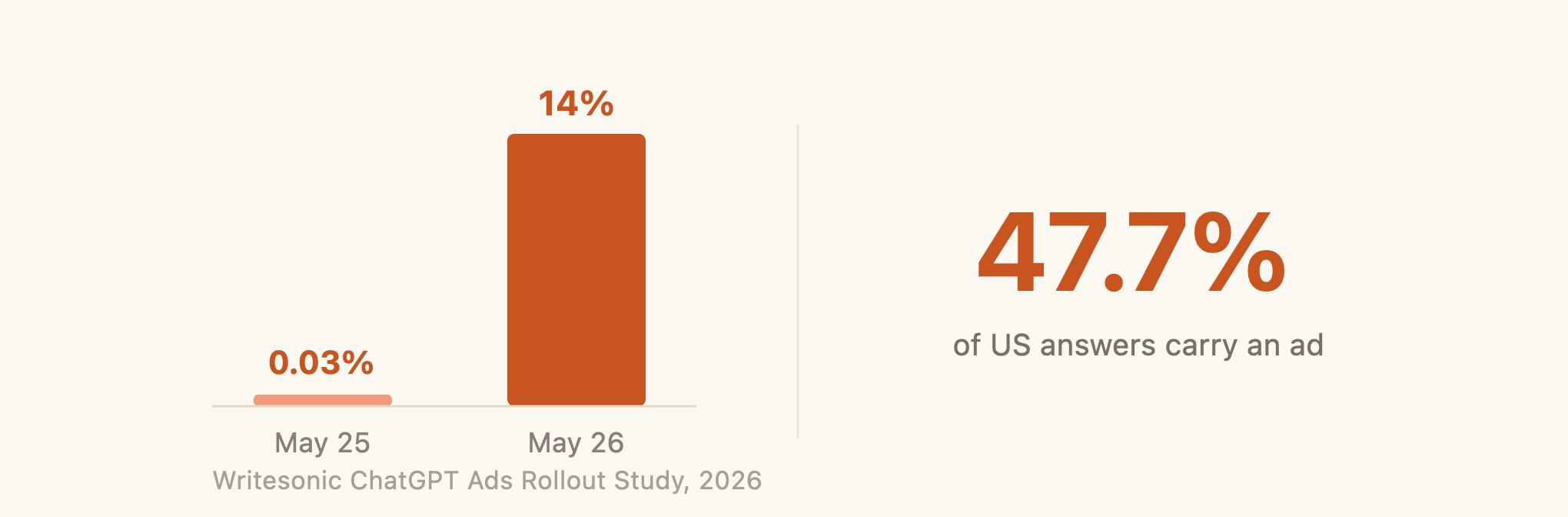
Writesonic's ChatGPT Ads Rollout Study tracked how fast this happened: sponsored placements went from almost none to 14% of shopping answers in a single day in late May 2026, with close to half of US answers carrying one shortly after. Writesonic Ads gives you a clear view of this new surface, measured against the prompts you already track.
Who it's for
- Brand and marketing leaders who want to know whether their products show up when buyers ask AI for recommendations, and who's paying to be there.
- Performance marketers and media buyers deciding whether AI ad placements are worth investing in, and what they'd be paying for.
- Competitive and category teams tracking who's advertising across their category.
- Agencies reporting AI ad share of voice for the brands they manage.
Inside Writesonic Ads
All three views share the same controls at the top: a date range, a comparison against a previous period, and filters for market, topic, prompt type, and product. There's a live count of how many answers are in scope, and most modules let you export the data. Set the controls once and they carry across the views. The market filter is worth using, since AI ad rollout is still concentrated in a few countries.
Overview
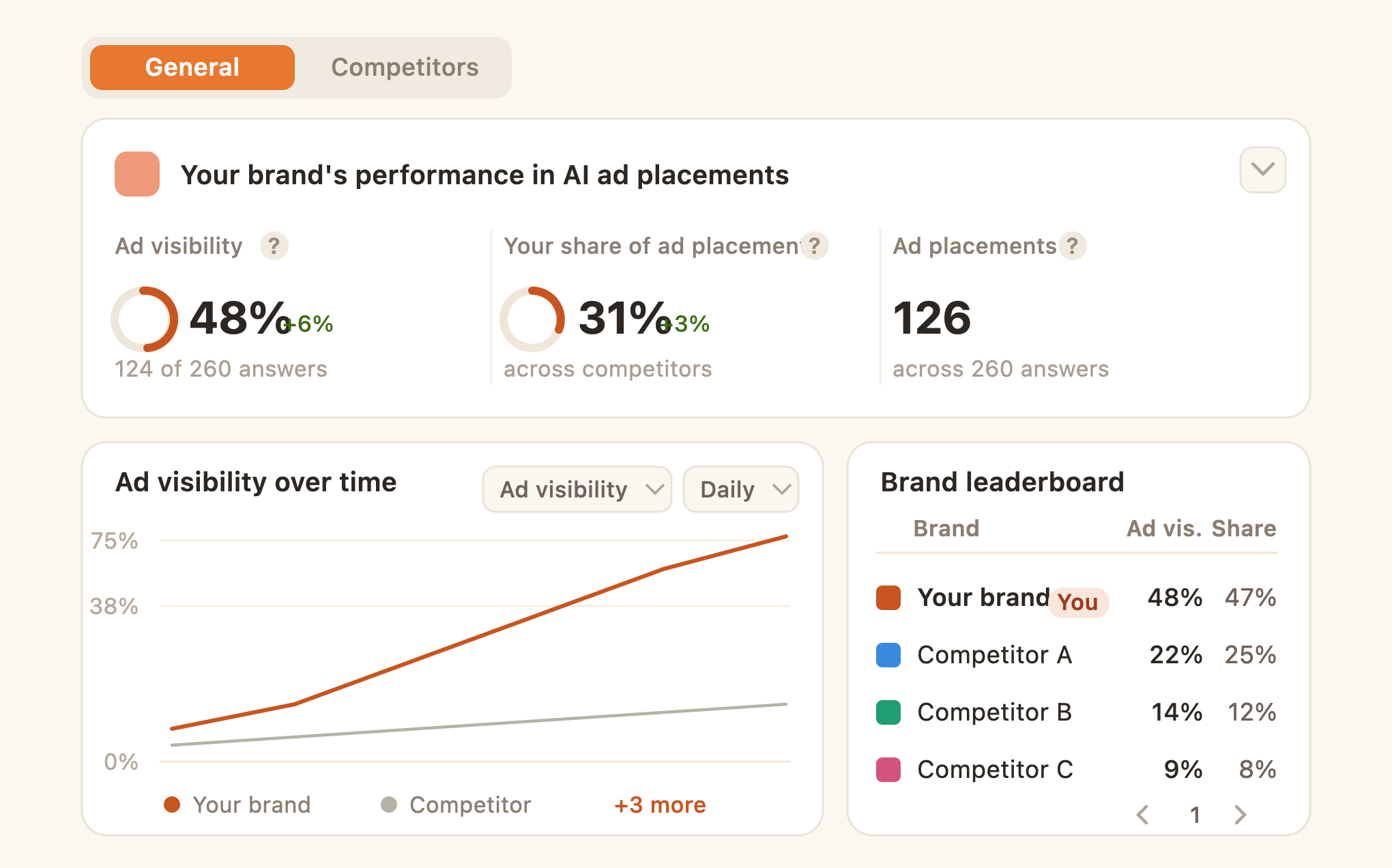
The Overview opens on the General tab, your own view, with a Competitors tab that puts the same modules side by side against competitors. Three headline metrics sit at the top:
| Metric | What it means |
|---|---|
| Ad visibility | The percentage of ad-eligible answers that featured your brand's ad. Calculated as (ad-eligible answers featuring your brand ÷ total ad-eligible answers) × 100. Higher is better. |
| Your share of ad placements | Your brand's share of all ad placements across competitors. Calculated as (ad placements featuring your brand ÷ total ad placements across all brands) × 100. Higher is better. |
| Ad placements | The number of distinct answers where your brand appeared in an ad, either as the advertiser or as the product being advertised. Each answer counts once, no matter how many times your brand appeared within it. |
Ad-eligible answers are the answers where an ad ran. They're the basis for ad visibility.
The rest of the Overview:
- Ad visibility over time: your ad visibility plotted against competitors. Switch between ad visibility and share of ad slots, change the time grain, and overlay the previous period.
- Brand leaderboard: your brand and competing brands ranked by ad visibility and share of ad placements for the period, with your brand marked "You."
- Share of ad slots by product brand: a single bar showing how all the ad inventory in your tracked prompts divides between you and each competitor.
- Split of placements across AI platforms: how your placements break down between ChatGPT and Google AI Overviews.
- Top topics by ad presence: the topics you track with the most ad activity, with ad visibility and placement counts.
- Top advertisers in your category: who's buying ad space in your tracked prompts, whatever brand they sell. Each row shows the advertiser (the retailer or entity running the ad) and the brand they advertise most. The advertiser often isn't the brand in the ad, for example a retailer running a manufacturer's product.
- Most-triggered AI Overview shopping ad products: the products that appear most across Google's shopping ads, with the brand that owns each one, placement counts, quoted price, and the advertiser.
- Most-triggered ChatGPT ads: the ad cards that appear most in ChatGPT, with the card title, the brand promoted, placement counts, and the advertiser.
All advertisers
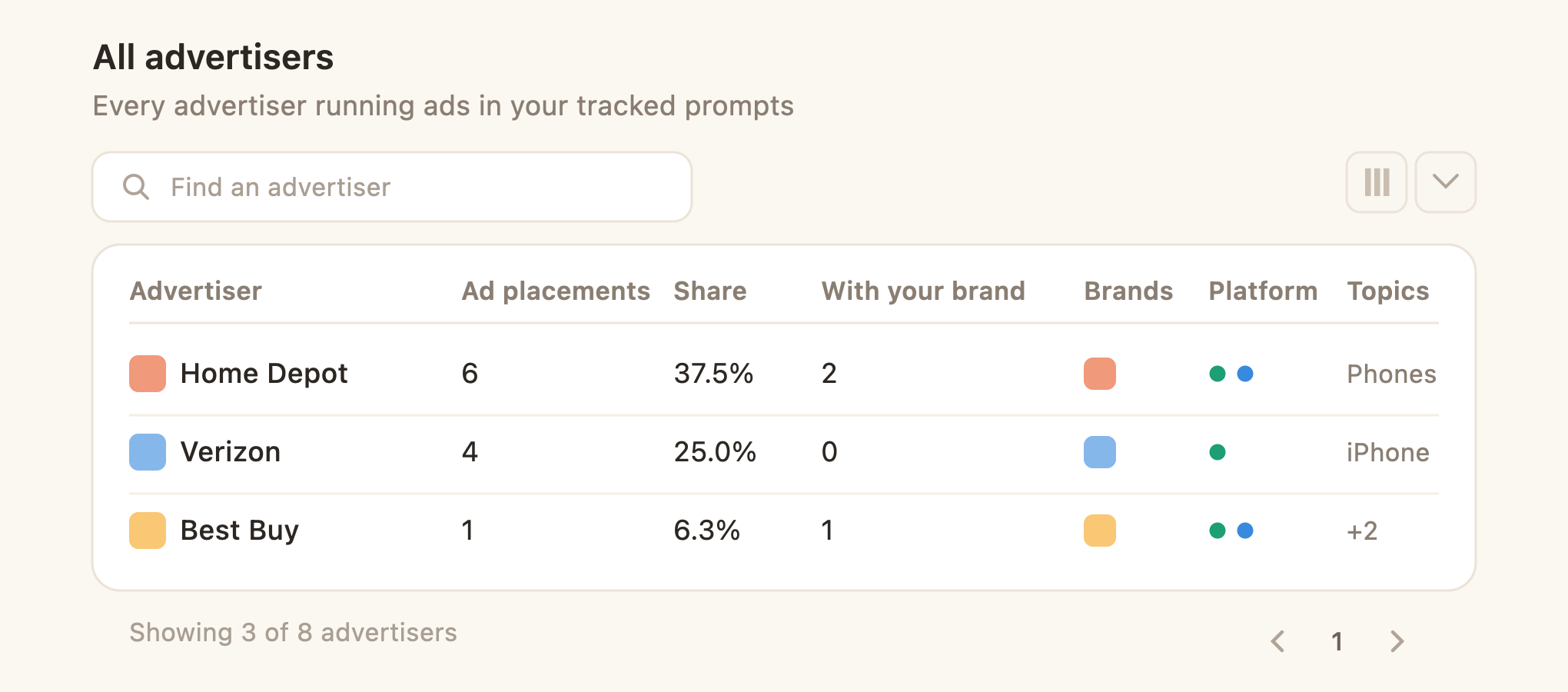
A searchable table of every advertiser running ads in your tracked prompts, across both platforms.
| Column | What it means |
|---|---|
| Advertiser | The retailer or entity running the ad placement. |
| Ad placements | The number of distinct answers where this advertiser ran an ad. Each answer counts once, no matter how many of their ads appeared in it. |
| Share of placements | This advertiser's share of total ad placements in your tracked prompts. Calculated as (their placements ÷ total placements across all advertisers) × 100. |
| Placements with your brand | The advertiser's placements where your brand was the owned brand of the product or card being advertised. A subset of Ad placements. |
| Brands advertised | The brands whose products this advertiser has run ads for. A quick read on whether they focus on one brand or spread across many. |
| Platform | The AI platforms where this advertiser's ads have appeared: ChatGPT, Google AI Overview, or both. |
| Topics covered | The topics from your tracked set where this advertiser's ads have appeared. |
All ad listings
The full catalog of individual ads, in two tabs you switch at the top. This is the creative-level view: what each ad looks like, what it costs, and who's running it. Both tabs are searchable and exportable.
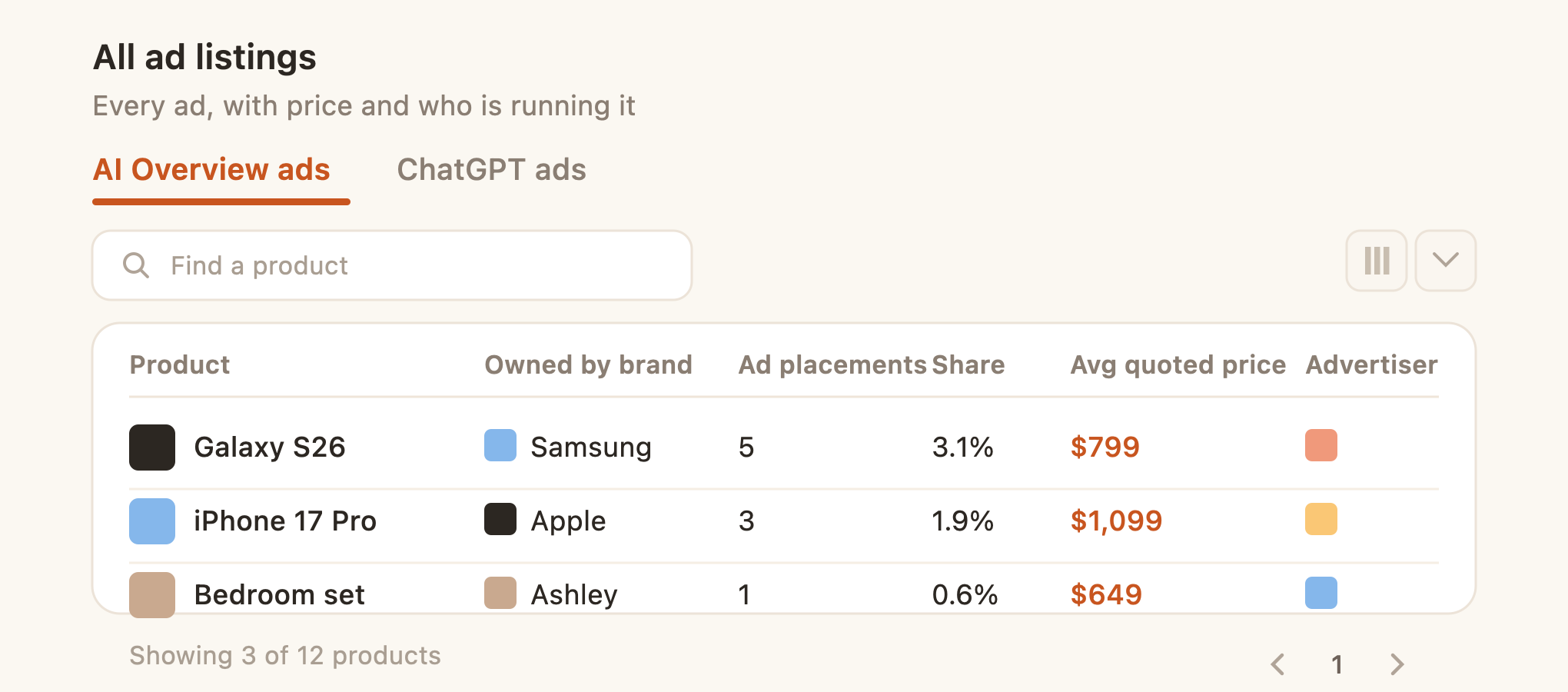
AI Overview ads (product placements from Google's shopping carousels and sponsored placements):
- Product: the product being advertised, with its thumbnail and title. One row per distinct product.
- Owned by brand: the brand that makes the product, which may differ from the advertiser (often a third-party retailer).
- Ad placements: the number of distinct answers where the product appeared in an AI Overview ad carousel, counted once per answer.
- Share of ad placements: the product's share of all product placements. Calculated as (this product's placements ÷ total across all products) × 100.
- Avg quoted price: the average price shown in the product's ad placements over the period. Prices can change between appearances.
- Advertisers and Topics covered: the retailers running the product's ads, and the tracked topics where it appeared.
ChatGPT ads (sponsored cards inside ChatGPT):
- Card and Body preview: the card's headline and the start of its body text. Hover to see the full body.
- Ad placements: the number of distinct answers where the card appeared in ChatGPT, counted once per answer.
- Share of ad placements: the card's share of all ChatGPT card placements. Calculated as (this card's placements ÷ total across all cards) × 100.
- Owned by brand, Advertisers, and Topics covered: as above, for each card.
See the ad in the actual answer
You're not limited to the Ads views. On the All prompts and answers page, filter to the prompts and answers where an ad was triggered, open one, and see exactly how the ad appeared in the response, including your competitors'. It's the easiest way to see a real placement in context.
How you can use it
Track your own presence. Start on the Overview. Check your ad visibility and share of ad placements to see whether you're showing up, and read the Brand leaderboard to see who else is.
Watch your competitors. Use the Brand leaderboard, Top advertisers, and All advertisers to see who's active in your category and what they're running. Open Most-triggered ChatGPT ads and the AI Overview products to see the actual creatives.
Decide where to invest. Use Split of placements across AI platforms to see whether ChatGPT or Google AI Overviews matters more for your category, and All ad listings to study real creatives and quoted prices before you plan spend.
Report on AI ad share of voice. Set a date comparison, then export the leaderboard and advertiser tables for recurring reports.
Frequently asked questions
Does ChatGPT actually show ads now?
Yes. OpenAI began showing sponsored placements inside ChatGPT in 2026, alongside an advertiser API. Writesonic's ChatGPT Ads Rollout Study saw them go from almost none to 14% of shopping answers in a day in late May 2026.
Which platforms does it track?
Two today: ChatGPT ads and Google AI Overviews shopping ads. You can view each separately or together.
How is this different from Google Ads or my existing ad platforms?
Those report on the spend you control. Writesonic Ads shows the full picture inside AI answers: every advertiser in your category, what they're promoting, and how your share compares, whether or not you're spending.
What's the difference between an advertiser and a brand here?
The advertiser pays for the placement; the brand is what's being promoted. They're often different, for example a retailer running an ad for a manufacturer's product. Ads shows both.
What does "ad-eligible answers" mean?
It's the set of answers where an ad ran. Ad visibility is measured against that set, so you're judged on the real opportunity rather than your whole prompt list.
Why don't I see any ads yet?
AI ads are still rolling out and are concentrated in a few markets, so your category may not have seen any yet. As inventory grows you'll see more, and getting in early is an advantage.
Which countries have the most ad activity?
Mostly English-speaking markets so far, with the US leading. Use the market filter to focus on where ads are running.
How often does the data refresh?
About once a day. Your prompts run on your project's own schedule, shown as a "Next run" countdown on the page.
Can I track my own brand's ads?
Yes. Your brand is marked "You" across the dashboard, and a "Your brand" toggle filters the modules to just your placements.
Can I export the data?
Yes. The dashboard modules and the advertiser and listing tables all export.
What do I need to set up?
A GEO project with topics and prompts. Ad data follows the prompts you track, so the more relevant buying-intent prompts and topics you add, the more complete your view.
Updated 4 months ago